For color analysts & image consultants
Your client leaves with something beautiful, with your name on it.
Turn every color consultation into a keepsake: a 20-page report with virtual draping, makeup and full outfits rendered on your client's own face, carrying your logo, your website and your QR code.
Your brand on it. You keep the season call.
Free to join · No subscription · Pay per report · Available worldwide
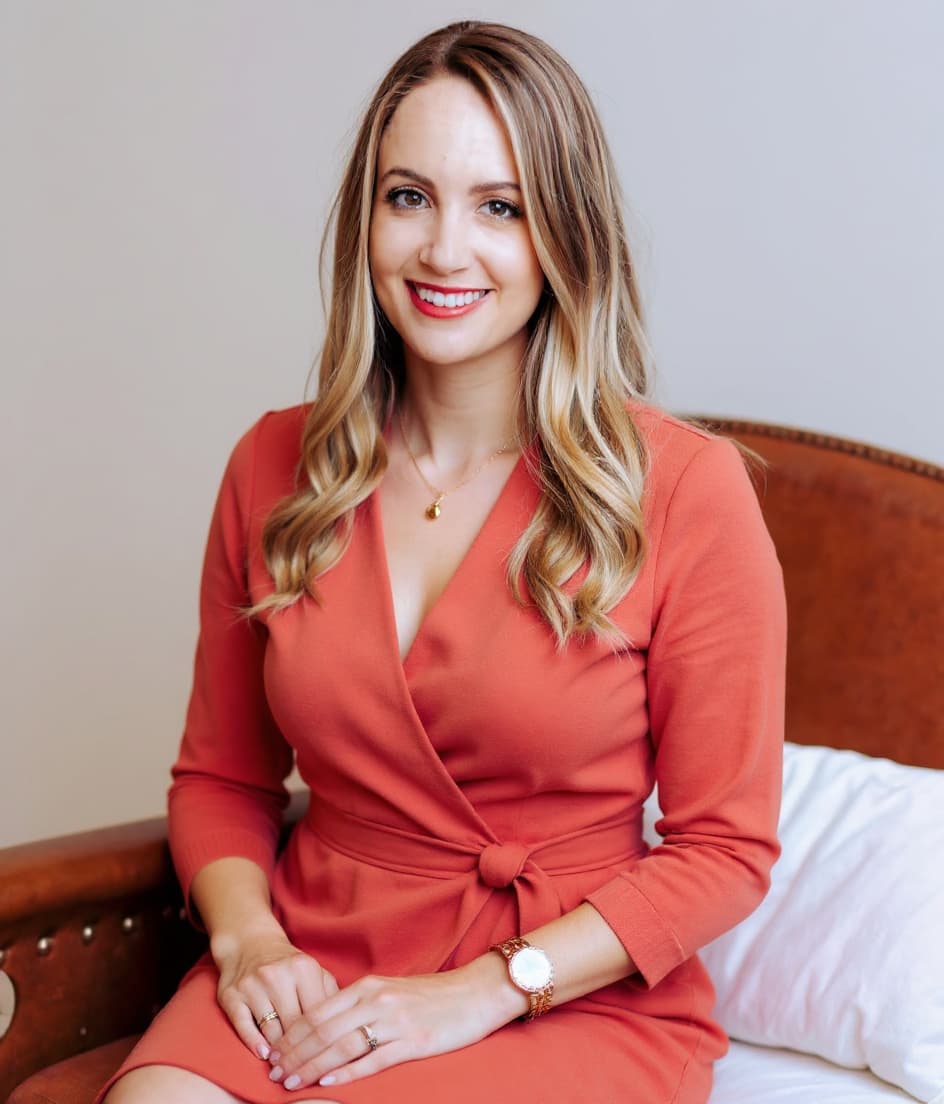
Color & Style
THE PERSONAL EDIT
YOUR SEASON
Light Spring
Sunlit, delicate, warm
Your Personal Color Analysis
YOUR STUDIO · YOUR MOST FLATTERING COLOURS
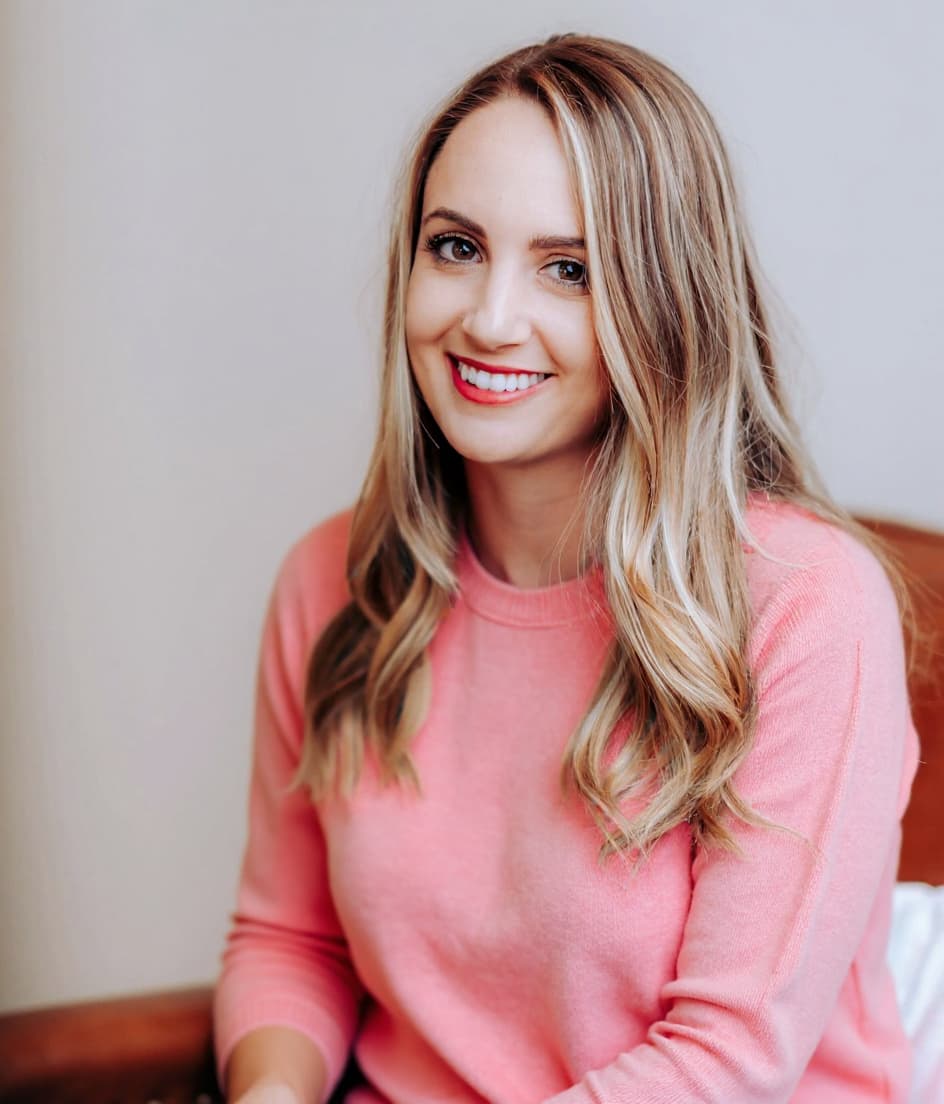
LIGHT · WARM · FRESH
YOUR BEST COLOUR SEASON
Light Spring — sunlit, delicate, warm
Your coloring is light, warm and fresh — like the first hour of morning sun. Low contrast and a golden undertone mean delicate warm pastels light you up, while anything heavy or icy overwhelms your natural radiance.
UNDERTONE
Warm
CONTRAST
Low
CHROMA
Soft-clear
DEPTH
Light
YOUR BEST COLOURS
Your Color Palette
YOUR 12 SIGNATURE SHADES
Peach Nectar
#FFC8A2
Warm Coral
#FF9D6F
Coral Pink
#FF8A8A
Apricot
#FFB385
Golden Daffodil
#FCD66F
Fresh Mint
#BFE3B4
Aqua Glass
#8FD0C0
Soft Sky
#9CD3E8
Petal Pink
#F6A9B8
Orchid Bloom
#E9B0D6
Warm Camel
#C9B289
Warm Ivory
#FBF4E6
Worn close to your face, these warm, light & fresh shades even out your skin and make your eyes lift — your everyday color wardrobe.
Colors On You
HOW COLOURS INTERACT WITH YOUR NATURAL BEAUTY
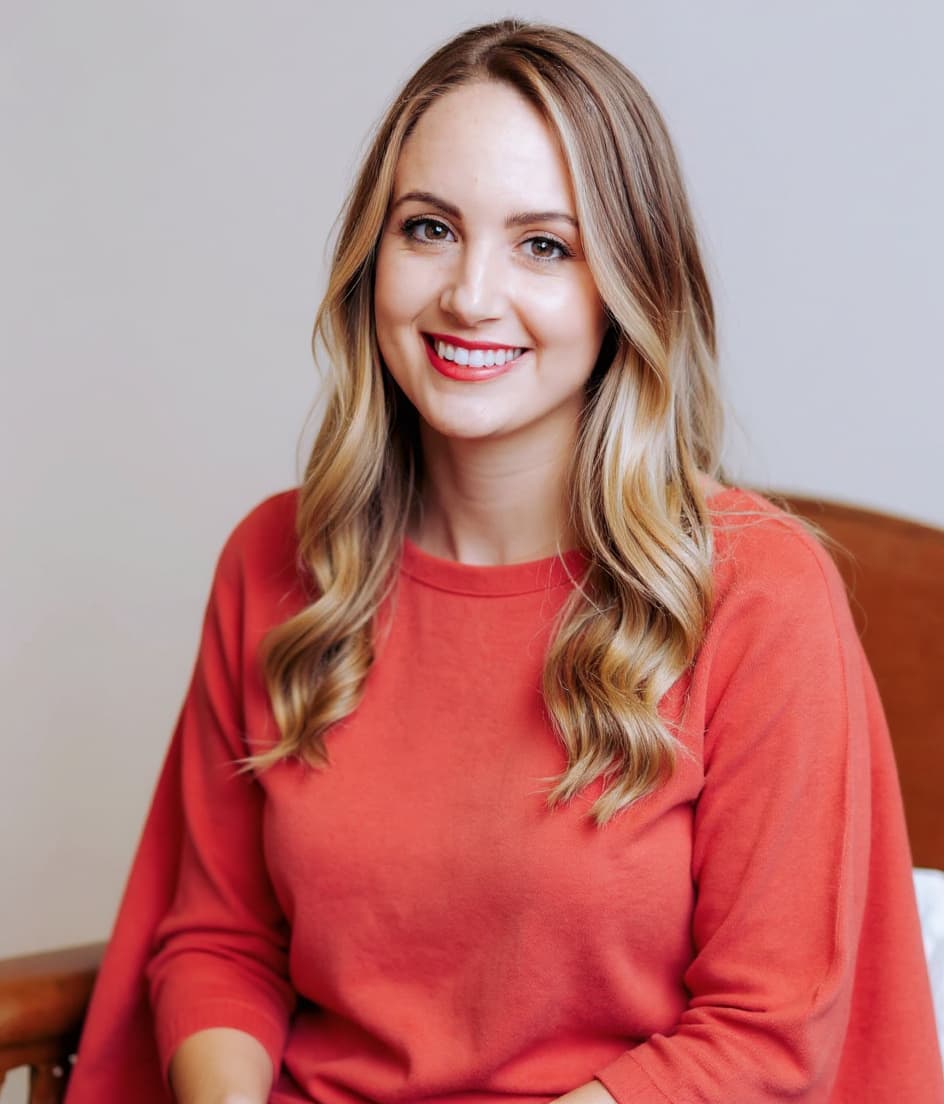
BEST
Harmony & radiance
- ✓ Skin looks even & warm
- ✓ Eyes appear brighter
- ✓ Features look refined
- ✓ Glowing & harmonious
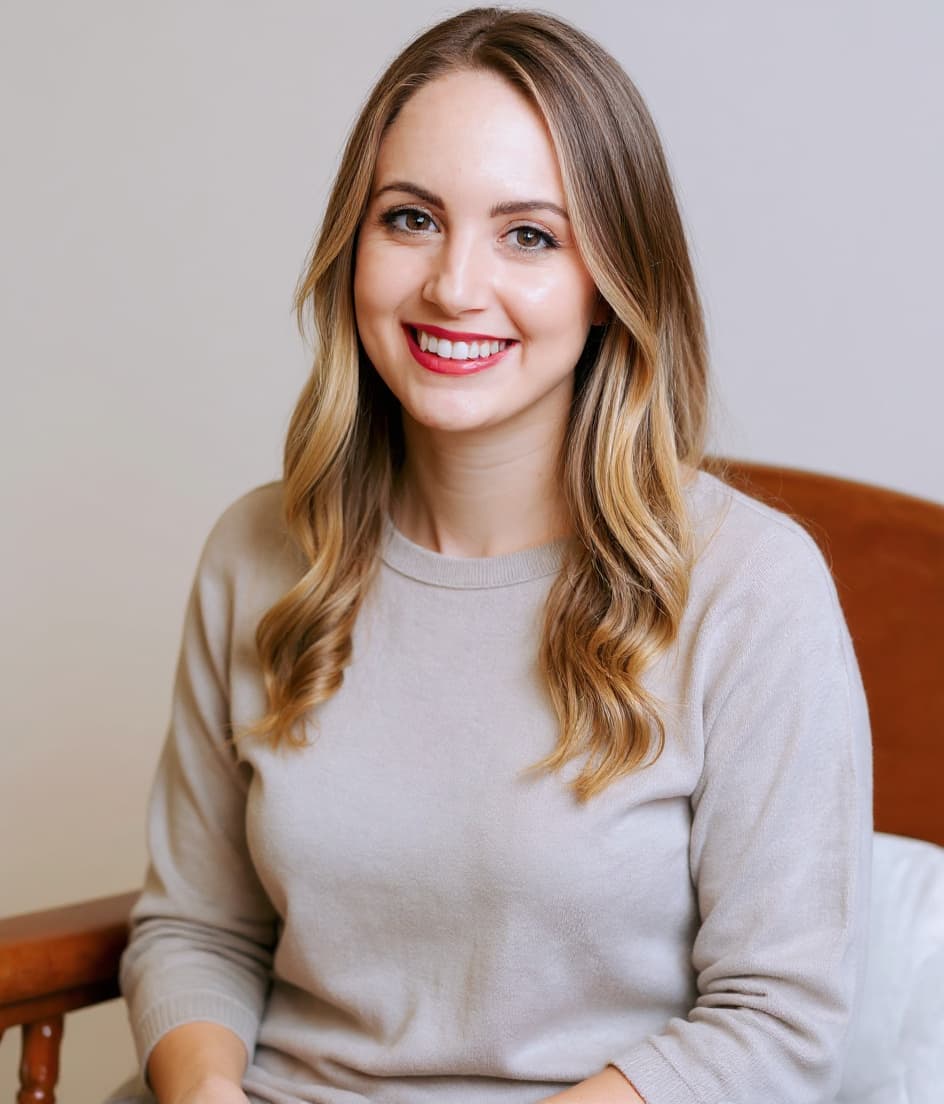
MUTED
Blended & pretty
- ◦ Balanced, natural look
- ◦ Good — not as radiant
- ◦ Slightly mutes your glow
- ◦ Fine for everyday neutrals
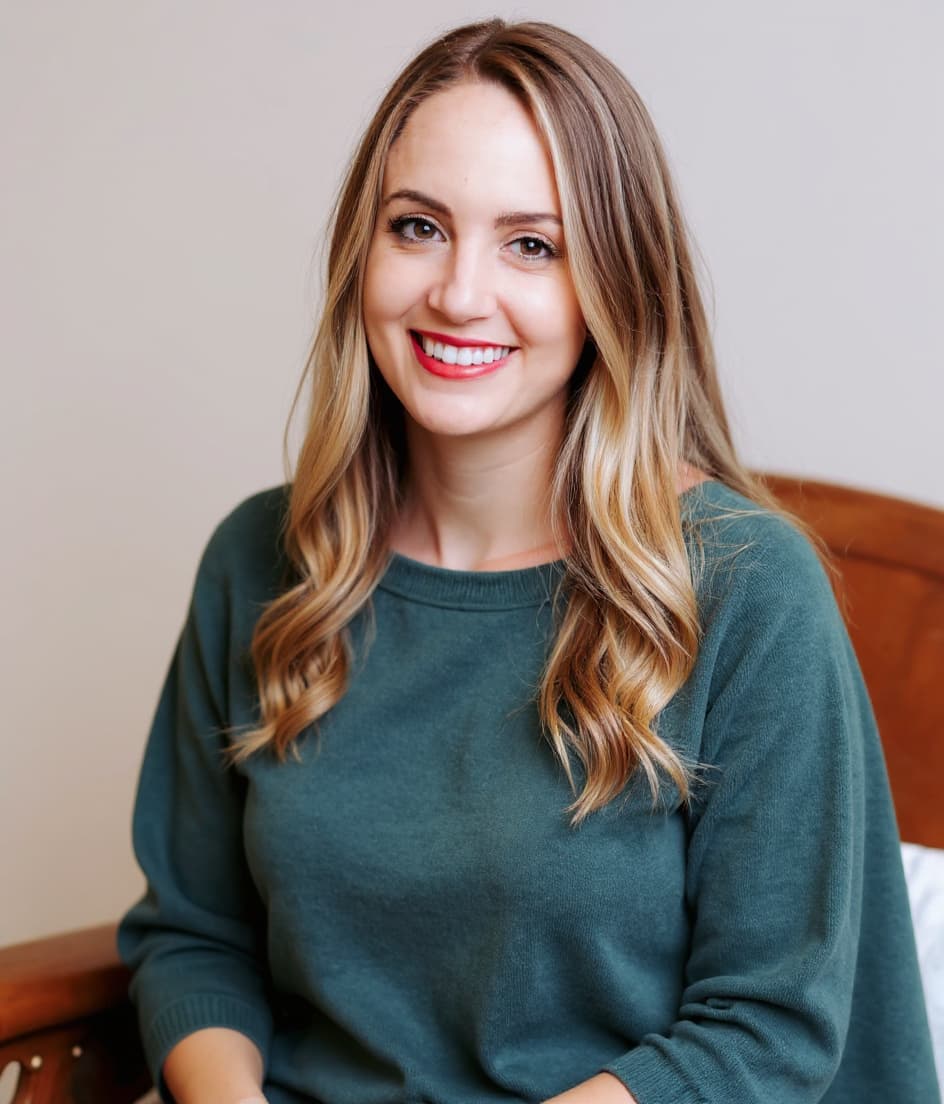
AVOID
Clash & dullness
- ✕ Drains warmth from skin
- ✕ Highlights redness
- ✕ Eyes look less bright
- ✕ Contrast overwhelms
DRAPING SWATCHES — HOW THEY AFFECT YOU
Contrast & Outfits
YOUR CONTRAST LEVEL & OUTFIT FORMULAS
Keep tones close and blended — pair lights with warm mid-tones and gold. Skip stark black-and-white; it overpowers your soft coloring.
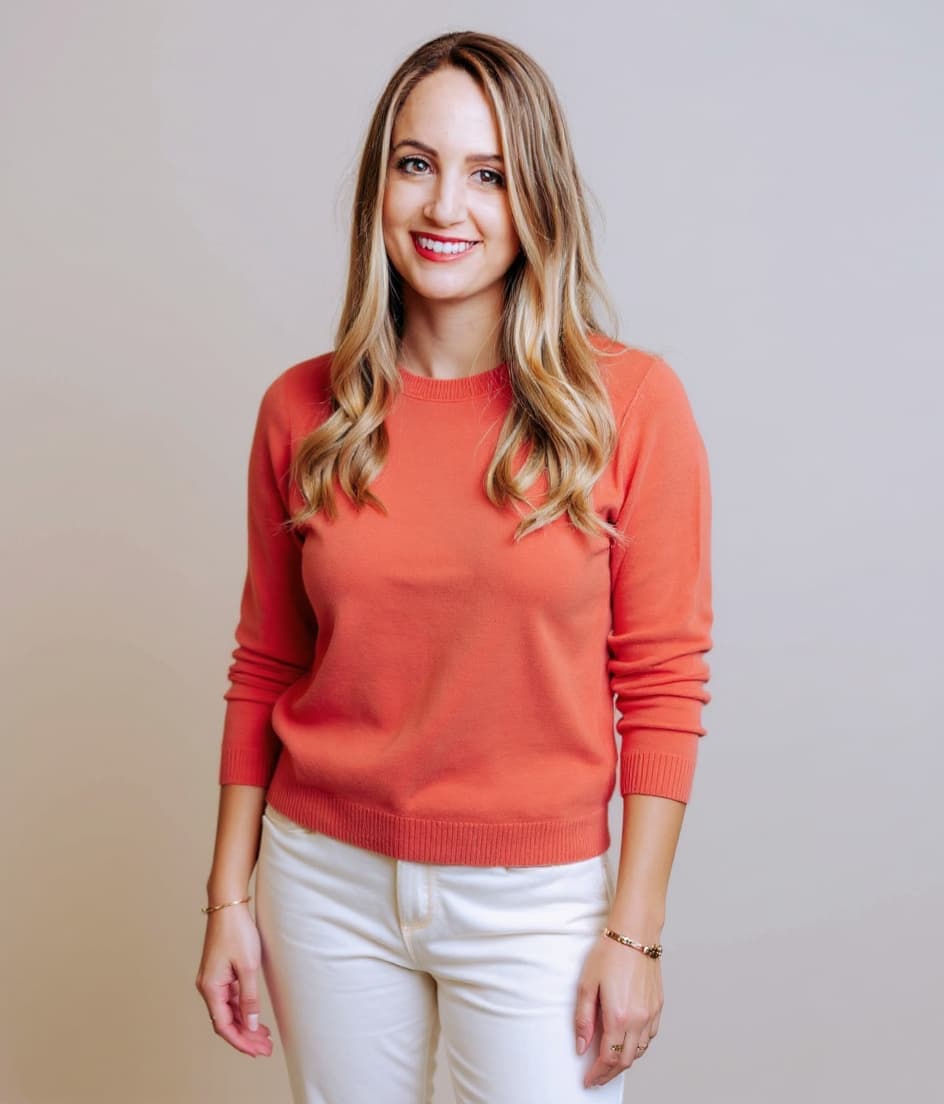
Coral · cream · gold
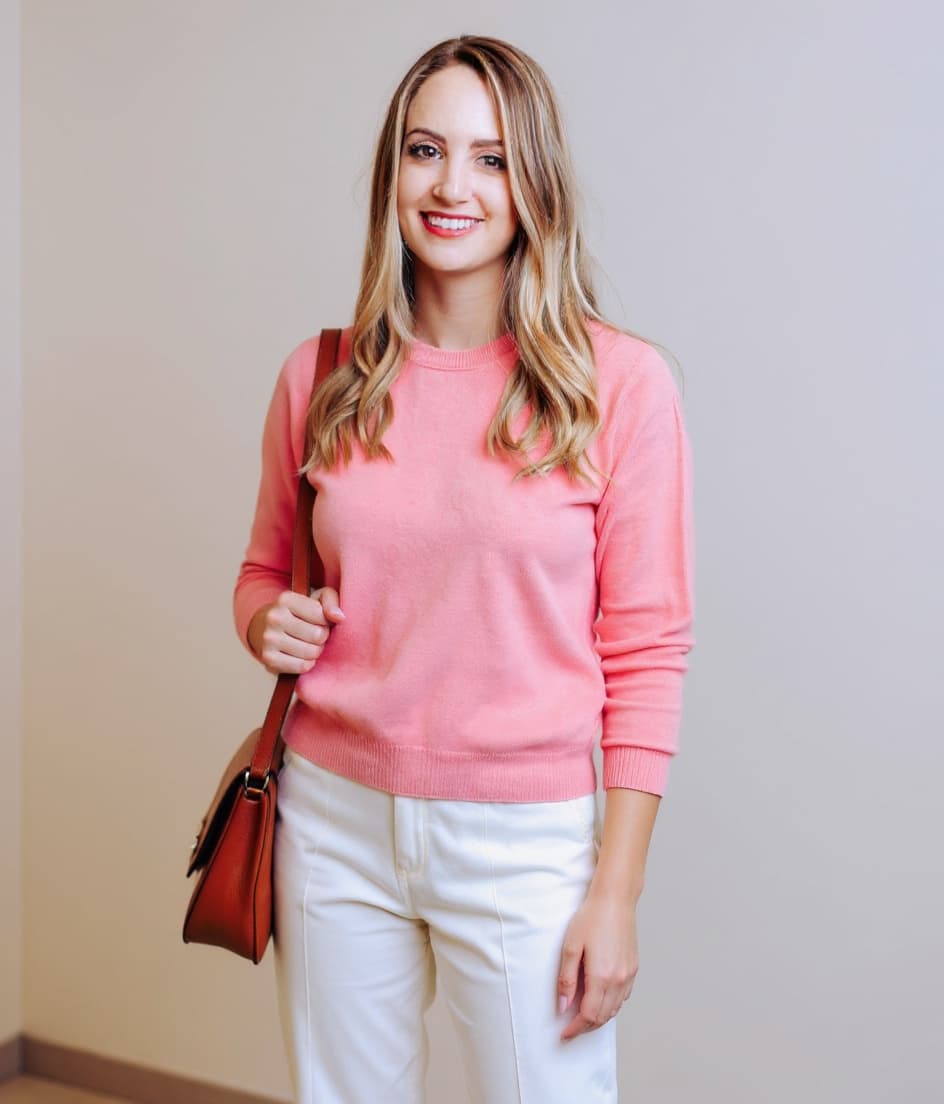
Peach · cream · tan
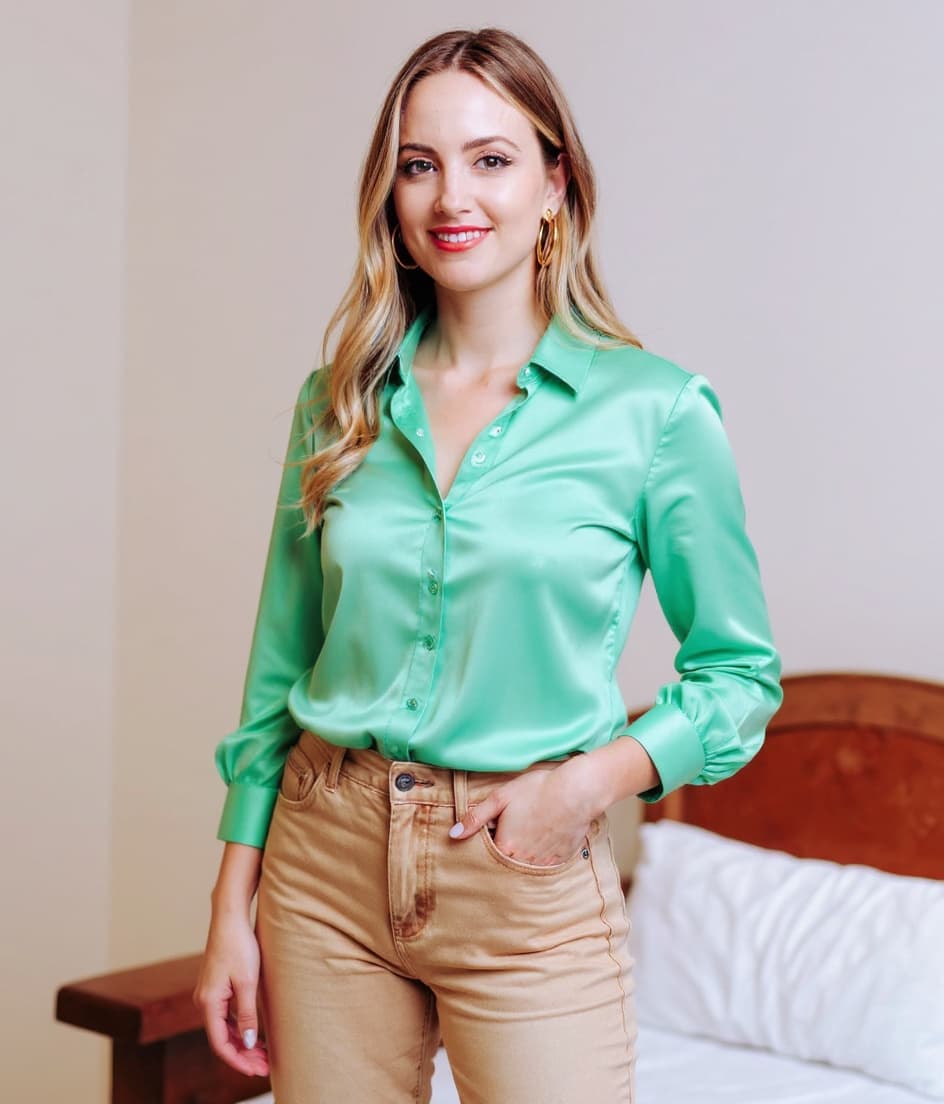
Mint · warm denim
Jewellery & Metals
THE METALS THAT FLATTER YOU
Yellow Gold
Your hero metal — warms the skin
Rose Gold
Soft, romantic warmth
Antique Brass
Earthy vintage glow
Brushed Gold
Matte, understated
PEARLS & STONES
Cream & champagne pearls, coral, amber and warm ivory tones — never stark-white or icy stones.
Your Makeup
ENHANCING YOUR NATURAL BEAUTY
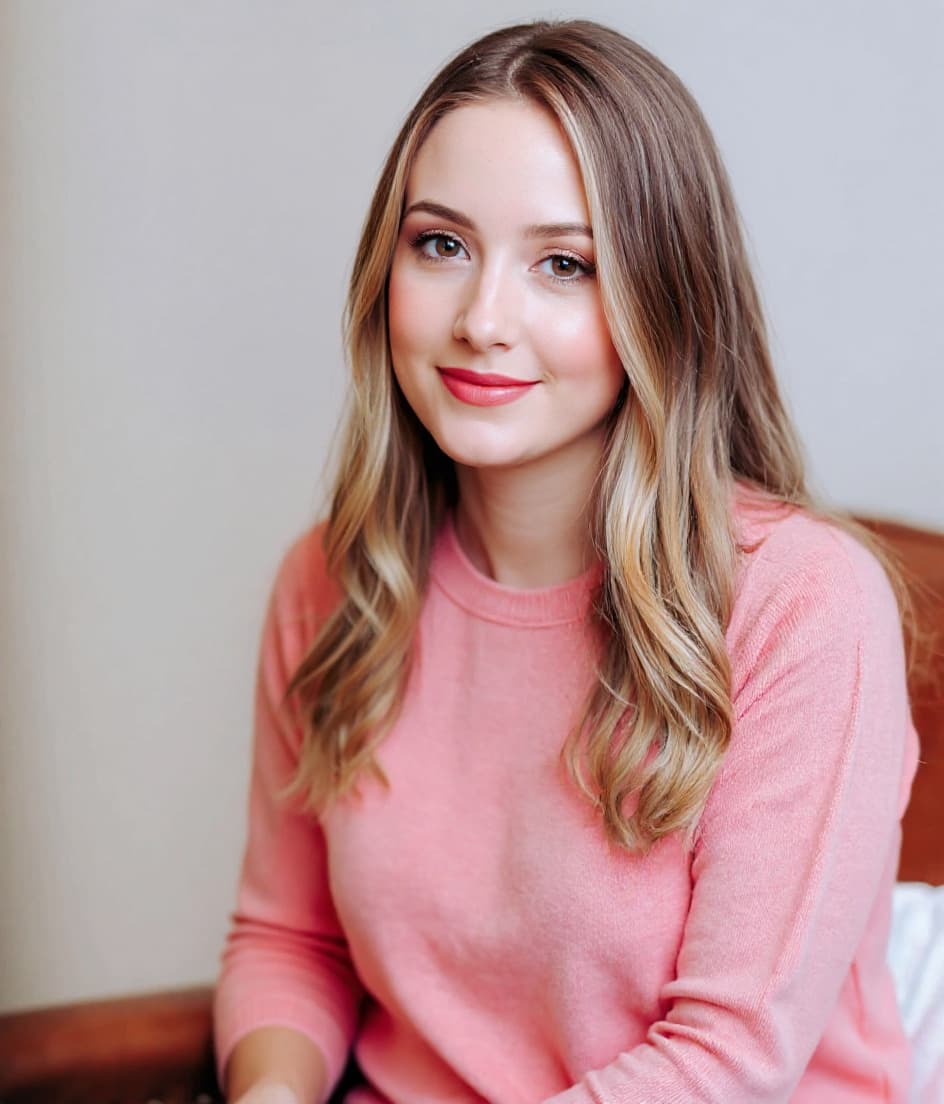
YOUR MAKEUP PROFILE
Soft · Warm · Natural · Glowing
- ✓ Enhances warmth, not contrast
- ✓ Keeps your look soft & fresh
- ✓ Polished, never overpowering
LIPS
Warm peach · Coral pink · Sheer apricot
BLUSH
Peachy pink, sheer
EYES
Champagne, soft bronze, warm taupe
FOUNDATION
Light–medium, warm/golden undertone
BRONZER
Soft warm, sheer for natural depth
METALS
Yellow gold, brushed rose gold
Makeup Placement
ENHANCING YOUR UNIQUE FEATURES
YOUR FACE MAPEYES
Brighten & define the lash line, soft warm shadow
CHEEKS
Sheer warm blush high for a natural flush
LIPS
Soft warm peach & coral, satin finish
BALANCE
Enhance, never overpower — soft & harmonious
STEP-BY-STEP PLACEMENT
Prep & base
Brighten
Contour
Blush
Highlight
Set
Your Hair
HEALTHY, NATURAL HAIR THAT COMPLEMENTS YOU
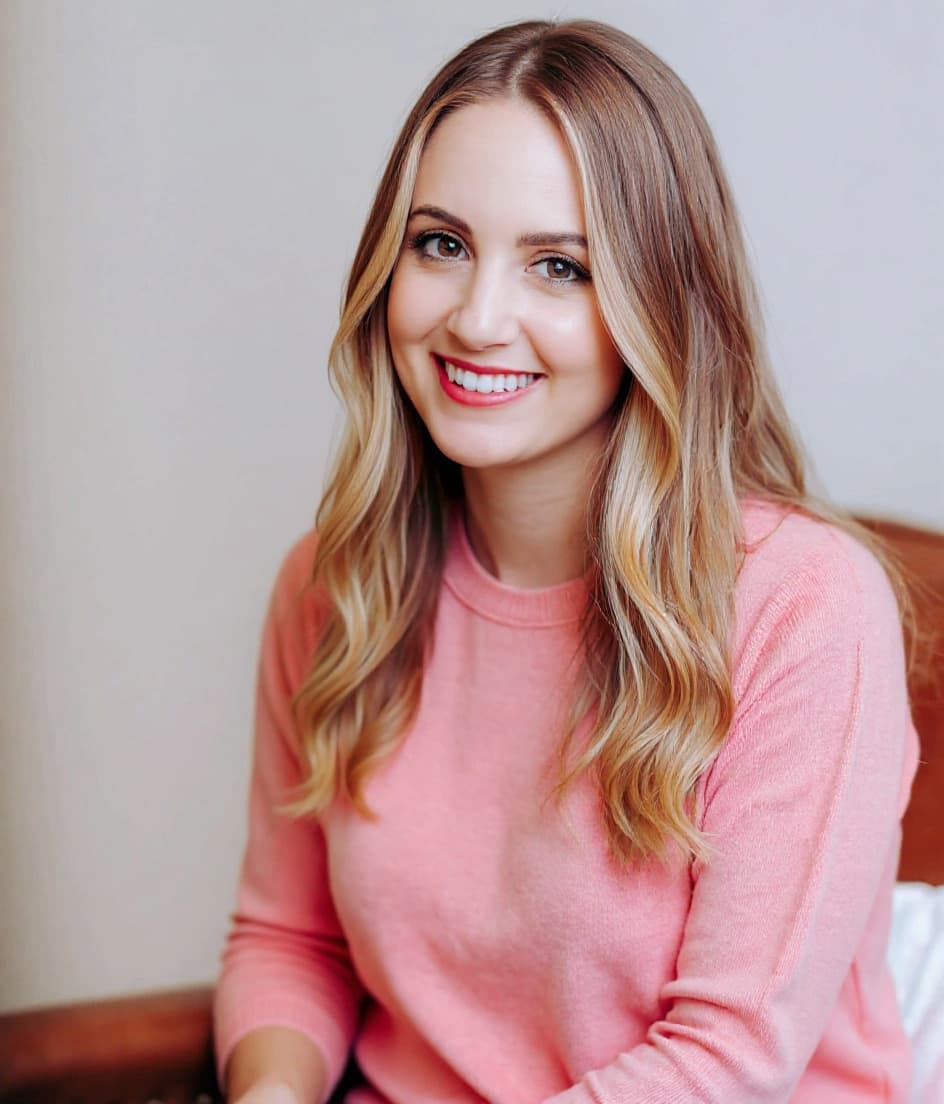
YOUR HAIR PROFILE
Warm · Light · Luminous
Warm golden depth flatters you most. Keep dimension soft and your roots from going ashy — gold and honey light you up.
BEST HAIR COLOURS
Golden blonde
Honey
Light copper
Warm bronde
COLOURS TO AVOID
Ash
Blue-black
Best Hairstyles For You
STYLES THAT FLATTER YOUR FEATURES
WHAT WORKS BEST
Soft, face-framing shapes with light layering and natural texture — movement and warmth flatter you most.
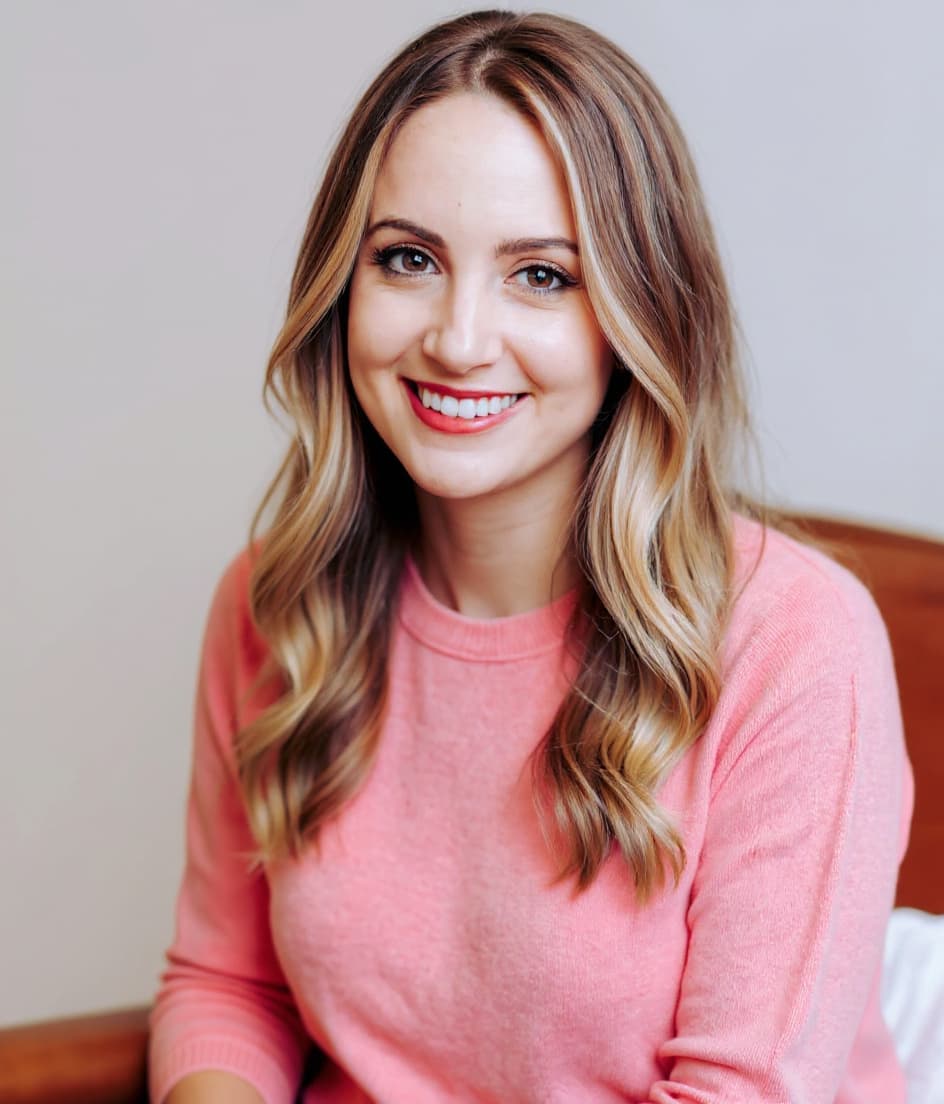
Face-framing layers
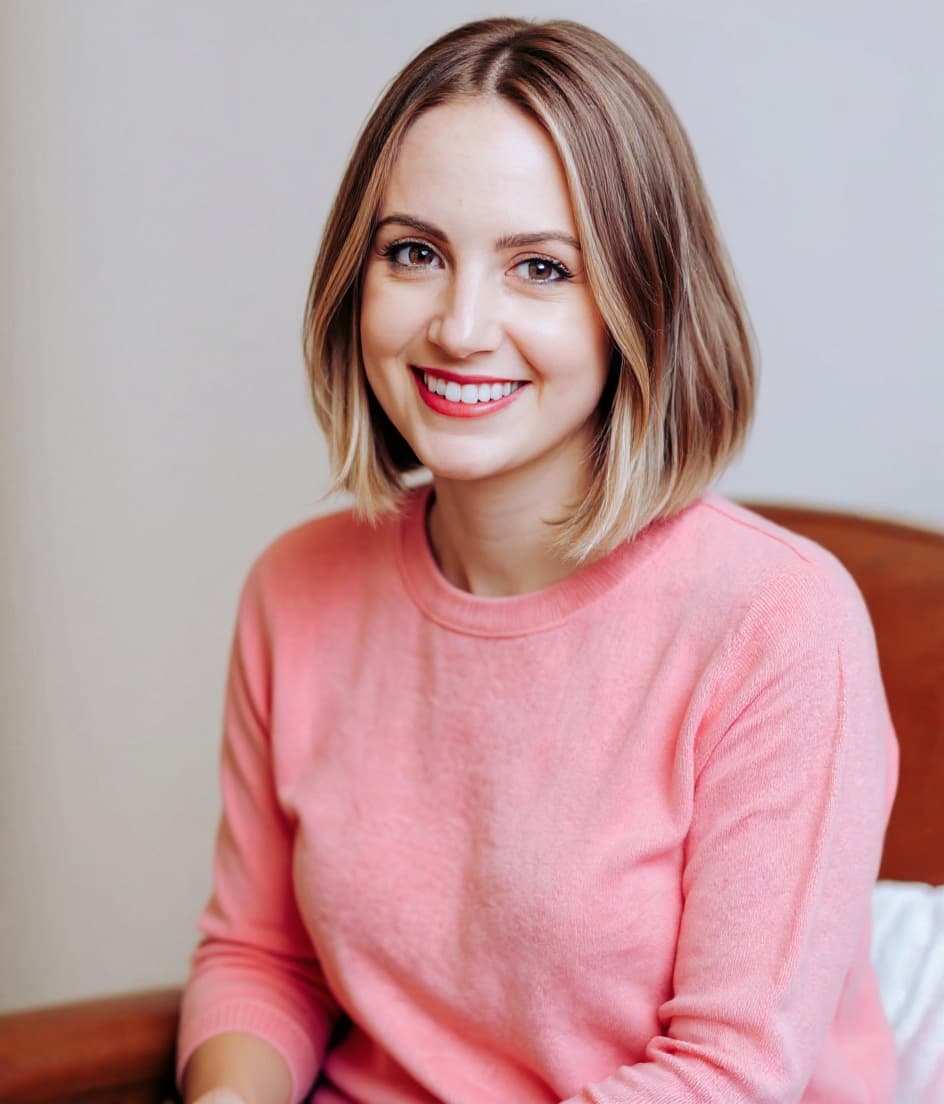
Collarbone lob
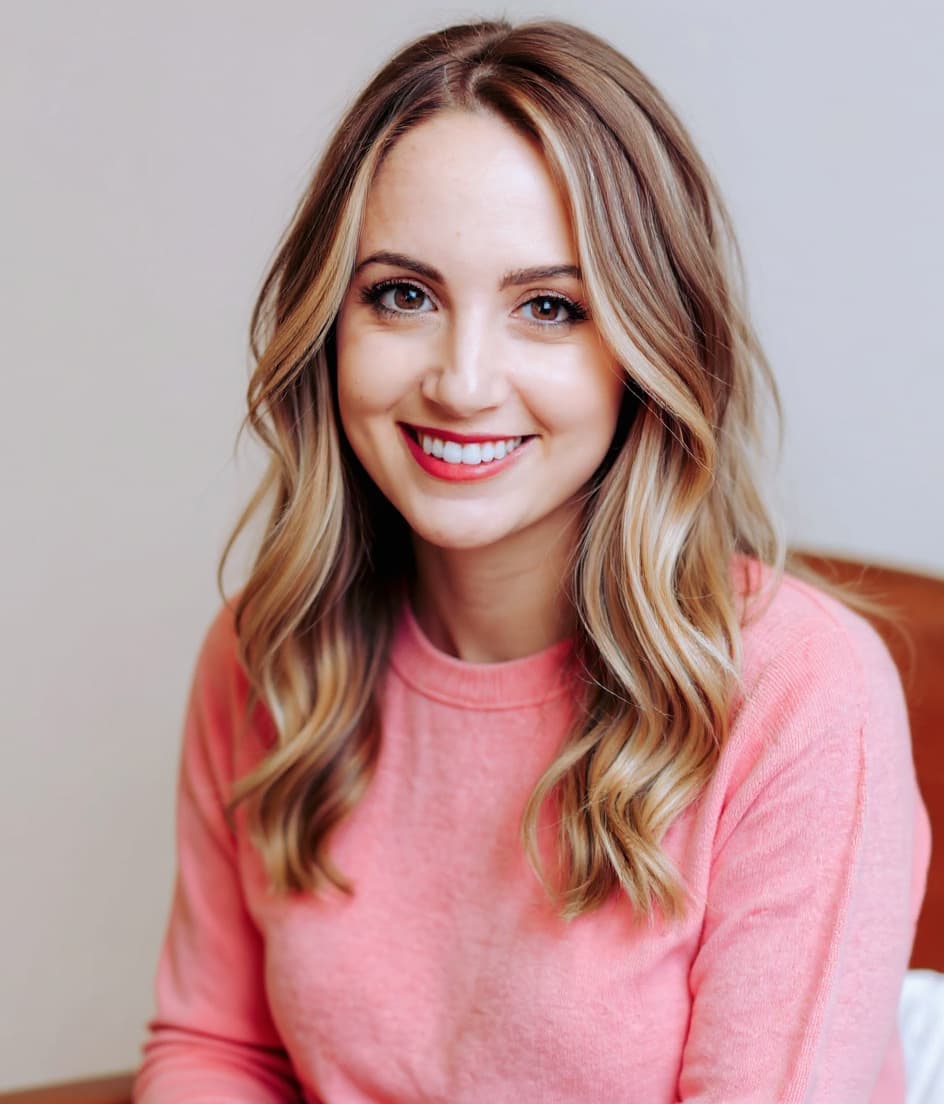
Textured shag
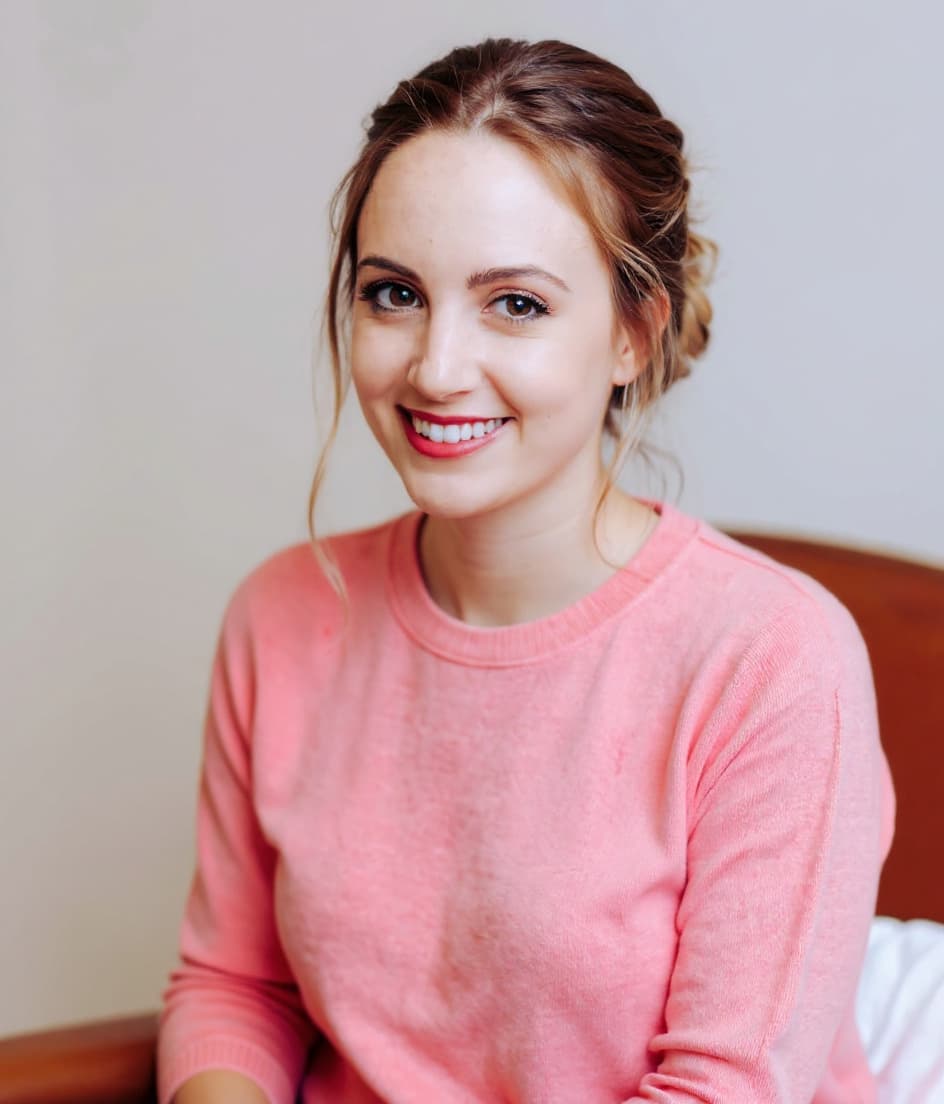
Soft updo
PARTING
Soft side or center
TEXTURE
Loose waves, lived-in
AVOID
Severe, sleek-flat styles
Your Best Look
YOUR MOST HARMONIOUS, RADIANT LOOK
THE OVERALL VIBE
Warm, glowing & effortless
BEST COLOURS TO WEAR
HAIR
Golden, honey dimension
MAKEUP
Soft warm, fresh glow
STYLING
Warm pastels, fluid fabrics
JEWELRY
Yellow & rose gold
Real pages from a finished report. Every image is generated from your client's own photo. The masthead is where your logo goes.
She paid for your expertise.
She left with a fan deck.
You did the hard part: the draping, the eye, the years of training. But the moment she walks out the door, the value starts fading. Nothing to re-read, nothing to shop from, nothing to show the friend who asks where she got her colors done.
A report fixes that, and does something else besides. It puts your brand in her hands, and in the hands of everyone she shows it to.
How it works
Four steps, a few minutes
- 01
Upload her photo
One clear, well-lit selfie of your client, the same photo you'd drape from.
- 02
You set the season
You are the expert. Pick the season you assessed, or let our AI propose one and confirm it. Your call, every time.
- 03
We generate everything
Virtual draping, makeup looks, hair shades, jewelry and head-to-toe outfits, all rendered on her own face.
- 04
She gets a keepsake with your logo on it
A 20-page report she'll actually keep, and show people. Your name on the cover, your QR code on the back. Send it before she leaves.
The deliverable
Roughly 20 pages, all about her
Print-quality, 300 dpi, ready to hand over or email. Every image is generated from her own photo. Not stock, not a model.
Her season, explained
The verdict in plain language, with undertone, depth, contrast and chroma laid out on measured scales.
A 40-color palette
Every shade named: her best colors, her neutrals, her accents, and what to avoid.
Virtual draping on her face
Her own photo under her best colors and her worst, side by side. This is the page that sells the session.
Head-to-toe outfits
Full-length looks styled in her palette, the part clients screenshot and shop from.
Makeup and hair
Lip, blush and eye shades, a placement map, and hair colors that suit her season.
Jewelry and metals
Whether she's gold, silver or rose gold, shown on her, not described.
Generated imagery is labeled “AI render” throughout, so your client always knows what she's looking at.
Why it pays for itself
A marketing asset she chooses to carry
She leaves with something
Most consultations end with a fan deck and a memory. A printed, personalized report is the difference between a nice afternoon and a service she recommends to three friends.
Every report is a lead magnet
Your logo on the cover. Your website in the footer. A scannable QR code on the back page. When she shows it to her friends, and she will, they can find you.
It costs less than the coffee you serve
A fraction of what you charge for the session, for the one thing your client actually keeps, and shows people.
You stay the expert
You choose the season. We never overrule you. The report says "assessed by" your business. The technology is yours to use, not to credit.
What it costs you
A fraction of what you charge for the session
Pay per report, not per month. Buy credits up front and use them whenever you like. Nothing expires, nothing to cancel.
- Your logo on the cover and every page footer
- Your website + QR code on the back cover
- You choose the season · AI assist optional
- Client gets a private re-download link, no account
- English and German reports
- Better rates the more you run
Charge it on to your client as a separate line, fold it into your package price, or simply absorb it. Whatever fits how you already sell.
Prefer to talk first?
Most analysts just create their studio and have a first report ready the same afternoon. If you'd rather ask a question or see a sample carrying your logo before you start, tell us a little about your practice and a person will reply.
Questions
Before you ask
Do I have to use your AI to pick the season?
No. You select the season you assessed and everything downstream, palette, draping, makeup, hair, outfits, follows your call. The report says "assessed by" your studio, not an AI confidence score.
Whose brand is on the report?
Yours, on the cover and in the footer of every page, with your website and QR code on the back. We appear as a small "powered by ColorFinder AI" credit. Fully white-label with no mention of us is available on request.
How long does a report take?
A few minutes. You upload, choose the season, and the imagery renders while you finish up with your client. You can send it before she leaves.
What does it cost?
Less than you'd guess: a small fraction of your session fee, and better the more you run. You buy credits up front in packs of five or more, a free report comes with ten, and every credit is valid for twelve months: no subscription, no monthly minimum, nothing to cancel. The packs are on the credits page the moment you sign in.
Can my client come back to it later?
The PDF you download is hers to keep, forever. Your online copy, photo and images, stays in your studio for 90 days so you can re-download or re-send it, then it is deleted automatically. You can delete it earlier yourself.
What about my client's privacy?
Her photo is used to generate her report and nothing else: never sold, never used to train models. It is stored encrypted in your studio's private space and deleted after 90 days. You confirm you have her permission to upload it; a data processing agreement is available on request.
Which countries do you work with?
All of them. Reports are available in English and German today, and you can be based anywhere.
Questions first? Email hello@colorfinderai.com
Want to see the method behind the report first?